
One-Time Passcodes are a quick and secure way to log into a Dines account without needing a username or password.
Instead of entering your usual login details, you can use a temporary code that signs you in straight away. These can be helpful if you need quick access to an account, or if you’re managing multiple accounts through an Organisation Account.
In this brief guide, we’ll explain how OTPs work, how to generate them yourself, and how to use them to log in.
What is a One-Time Passcode?
A One-Time Passcode (OTP) is a temporary login code that lets you access an account without entering your usual credentials.
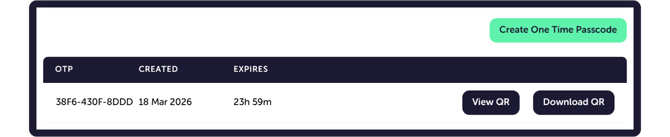
Each OTP is 12 characters long and alphanumeric. For example; 7F2D-91AC-4B6E.
Once entered, the OTP logs you directly into the relevant account.
All OTPs are valid for 24 hours exactly. If the code is not used within that time, it will expire and you’ll need to generate a new one.
Requesting an OTP from the Dines Team
If you need to access to a regular account (not one linked to an Organisation - more on those later), our team can generate an OTP for you.
Simply email care@dines.co.uk, making sure that you are contacting us from the email address registered on the account you are trying to access. Emailing from your account email helps us to confirm that the request is legitimate before providing access.
Once verified, we will generate your OTP and send it to you.
Generating an OTP via the Organisation Dashboard
If you have access to an Organisation Account, you can generate an OTP yourself for any account linked to your Organisation.
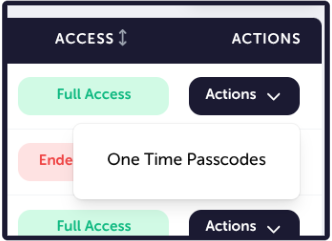
To do this, log in to your Organisation Dashboard and navigate to the Linked Accounts tab. Here, you’ll see all of the accounts connected to your Organisation. On the right-hand side of the account you wish to access, click Actions, which will then open a drop-down menu where you can select One Time Passcodes.
Now, in the dialogue box that opens, select Create One-Time Passcode. This will generate an OTP which can either be copied and pasted, or displayed as a QR code for quicker login on your device.
If you’d like to learn more about Organisation Accounts and how they work, check out our article here.
Logging In with an OTP: Dines for Venues App
Once you have your One-Time Passcode, there are two ways you can use it to log in to your Dines account.
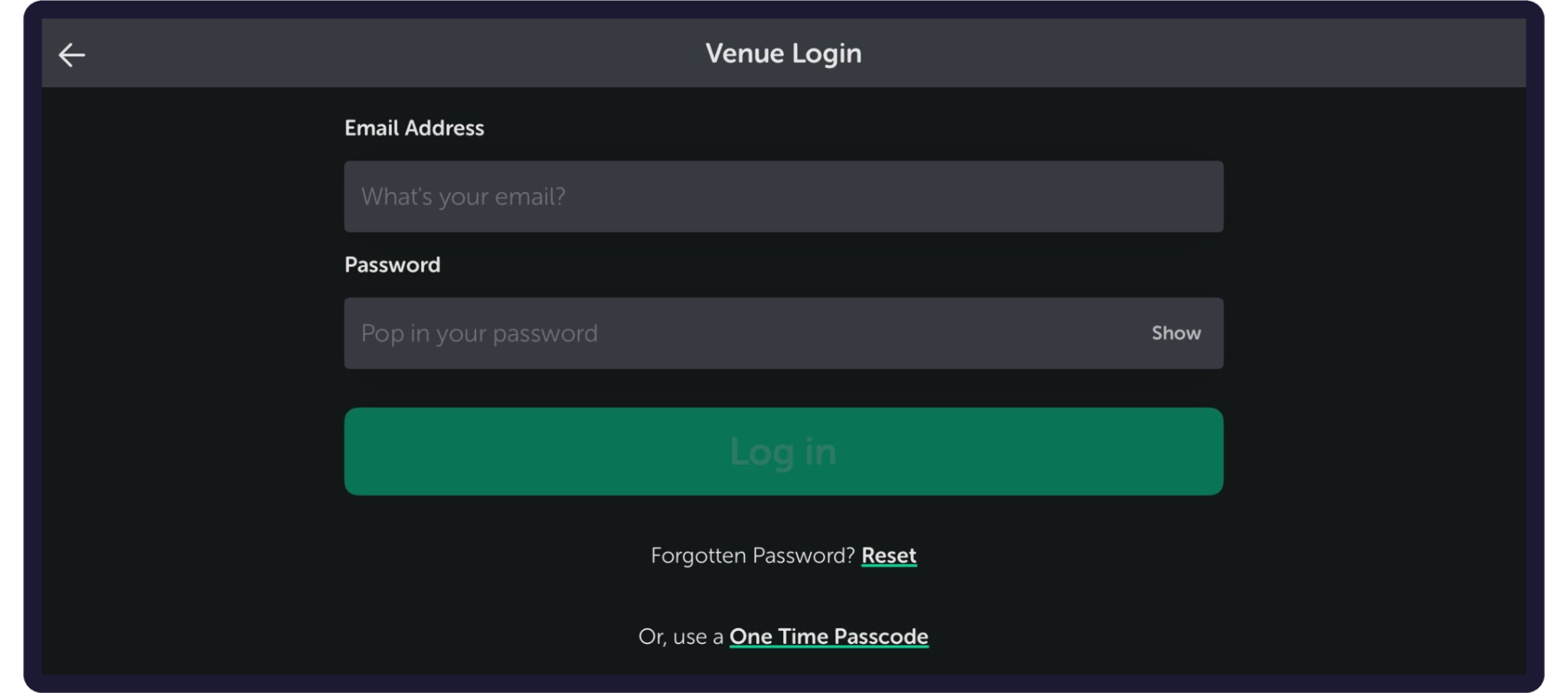
If you are logging in via the Dines for Venues app, head to the login screen and find the “Or use a One Time Passcode” text beneath the login fields.
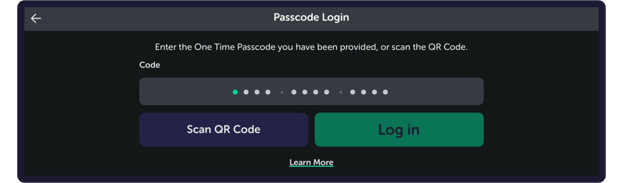
This will take you to a new screen. From here, you can either enter the OTP manually or scan the provided QR code with your device’s camera.
Logging In with an OTP: Web Browser
The other way to log in with an OTP is by using a web browser, and heading to https://dashboard.dines.co.uk/.
On the login page, you’ll see the heading “Dines Hospitality Operating System.” Clicking once on the “D” in Dines will open the OTP login page, where you can enter your code to access the account.
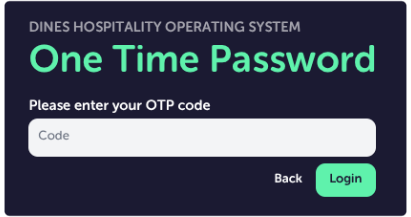
Unlike the app login, the browser version requires the code to be entered manually, as the device you're using may not have a camera.
And that’s everything! Thank you for reading through our guide on OTPs. If you have any questions or feedback at all, or if there is a particular Knowledge Base article you’d like to see, please get in touch. You can reach us via email at care@dines.co.uk, or use our Live Chat and WhatsApp support services by clicking here.